Prompt Research
Discover new relevant prompts for your monitoring — automatically and data-driven.
What Is Prompt Research?
Prompt Research helps you discover new questions and search queries that users ask AI models and that are relevant to your business. Instead of manually brainstorming which prompts to track, the tool analyzes your website and industry and suggests suitable prompts.
Where to Find Prompt Research
You can find the tool under Tools → Prompt Research in the dashboard sidebar.
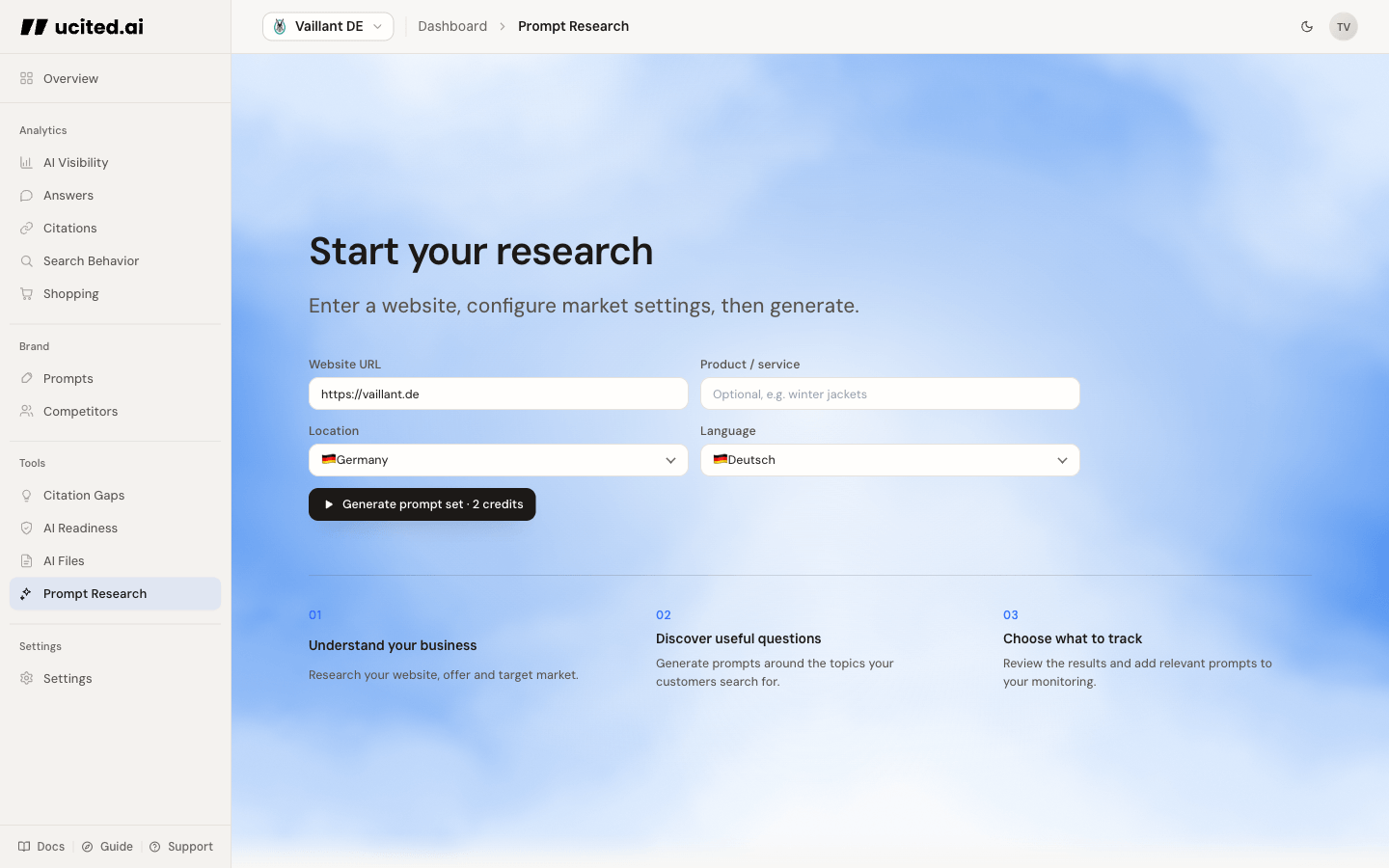
Starting an Analysis
To start a new Prompt Research analysis, fill in the following fields:
- Website URL — The URL of your website or a specific subpage that serves as the starting point for the analysis.
- Product / Service — Optional: a product, service, or topic to focus the suggestions on.
- Location — The target market for the analysis, such as Germany, United States, or United Kingdom.
- Language — The language in which the suggested prompts should be formulated.
Then click “Generate prompt set” to begin the process.
Use specific subpages instead of your homepage to get more targeted results. For example: if you want to find prompts for your product category “running shoes,” enter the URL of the running shoes category page.
Understanding Results
After the analysis is complete, you receive a list of suggested prompts, grouped by topics:
- Prompt text — The specific question or search query that users might ask AI models.
- Topic — The theme that bundles related prompts, so you can review and track them together.
Adding Prompts to Tracking
If you find a suggested prompt relevant, you can add it directly to tracking:
- Use Track all visible, Track topic, or the plus button on an individual prompt
- ucited.ai creates new prompts or reactivates matching inactive prompts
- The topic and keyword structure from the research stays available for later organization
There is no cap on active prompts — but each one you track draws from your plan’s shared monthly credit budget on every scheduled run. You can see your available credits on the Prompts page.
Analysis History
All previous analyses are saved in the History. You can review past results at any time without running the analysis again. Switch between the “New” tab (for new analyses) and “History” tab (for past results).
Run a new Prompt Research regularly (e.g. monthly) to discover current trends and new relevant questions. The AI landscape evolves quickly — new topics and questions emerge continuously.