Plans & Billing
Manage your subscription, compare plans, and view payment history.
Our plans
ucited.ai offers three self-serve plans. The product features are identical on every plan — unlimited prompts, all dashboards, all tools. Plans differ in the monthly credit allowance, one shared pool for every scheduled model run and every on-demand tool, and in the number of simultaneously active clients:
- Essential — 2,400 credits per month, up to 3 active clients.
- Professional — 6,000 credits per month, up to 5 active clients.
- Business — 18,000 credits per month, up to 10 active clients.
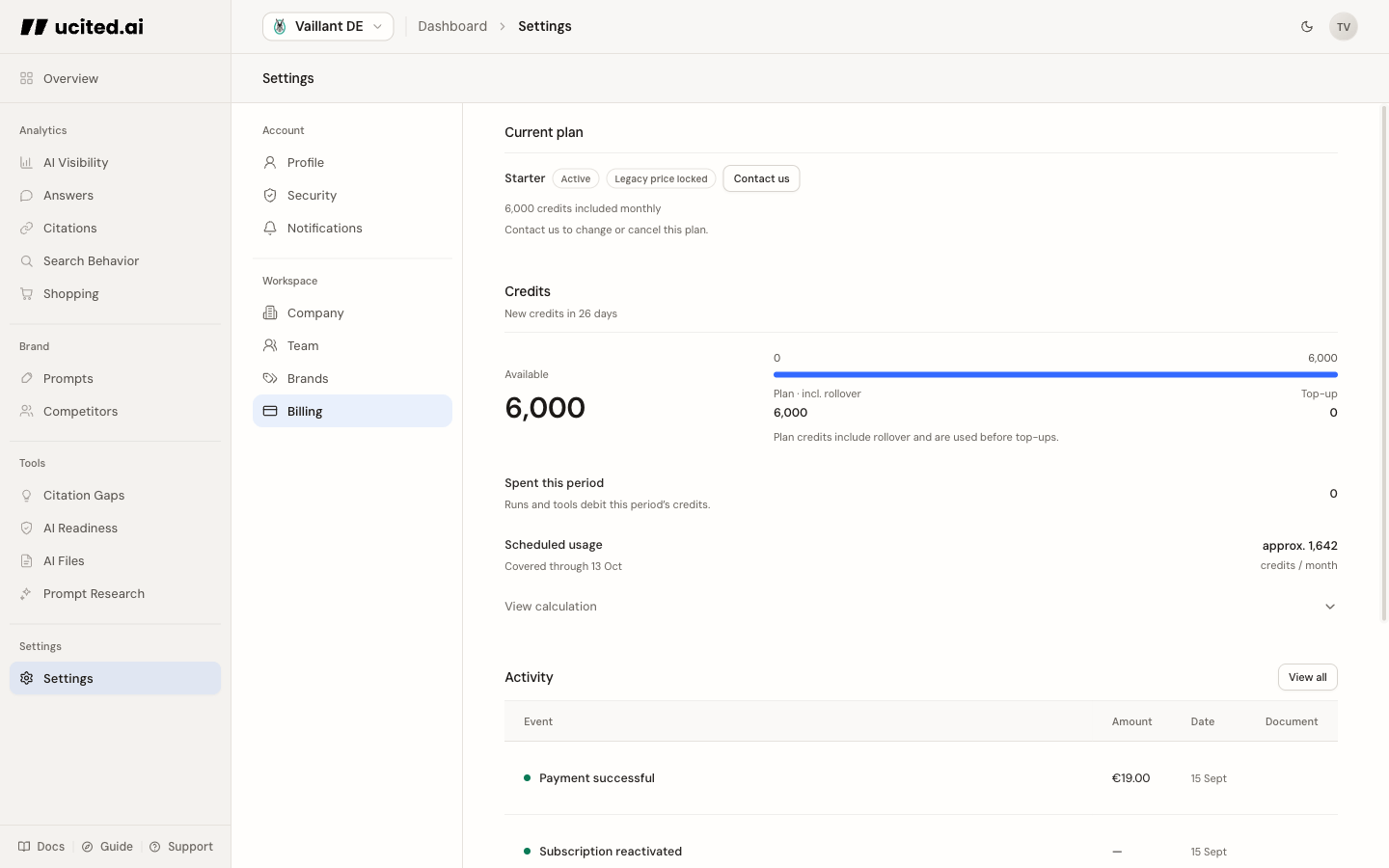
Every scheduled model run (per prompt, per model) debits credits, and so does every metered tool — Citation Check, Citation Gaps, Prompt Research, AI Readiness, and AI Files. One AI Files run costs 15 credits; a single ChatGPT tracking run costs 1. Viewing your dashboards is always free.
Trial and access
The free trial lasts 7 days and includes 400 credits for one active client, without a credit card. It ends automatically. Existing reports remain readable; further measurements and tool runs require an active plan and sufficient credits. If you are eligible for a separate card-backed trial, the plan picker and checkout show its duration, first charge and cancellation terms before you confirm. Otherwise a paid plan starts without another trial.
Monthly credits, rollover and top-ups
Unused plan credits carry into the next period up to one monthly allowance. Trial credits do not roll over. Separately purchased top-up credits do not expire. Top-ups are available on an active paid plan in good billing standing, not during a trial or payment grace period.
Where to find billing
In the dashboard, navigate to Settings → Billing. There you will find all information about your current plan, usage, and payments.
Changing your plan
An upgrade starts prorated billing immediately. Additional plan credits are granted only after the upgrade invoice has been paid successfully. This is not a top-up; a top-up is a separately purchased credit bucket that never expires. Downgrades apply at the end of your current billing period, so you keep the higher allowance you already paid for.
Payment method
You can manage your payment method via the Stripe customer portal link on the billing page. Update your credit card or payment method there at any time.
Payment history
The billing page shows past invoices and payment events. A complete overview is also available in the Stripe customer portal.
After a failed payment, access remains active during the standard seven-day grace period. New measurements still require sufficient credits; additional upgrade credits are granted only after the invoice is paid. If payment remains outstanding, access is restricted after the grace period. Update your payment method in Billing.