Citations
Analyze which sources AI models cite, which URLs sit behind them, and whether your brand or competitors appear there.
What the Citations page shows
A citation is a source an AI model links to or references in an answer. The Citations page shows these sources on URL and domain level, so you can see which pages matter for your AI visibility and which external sources shape your market.
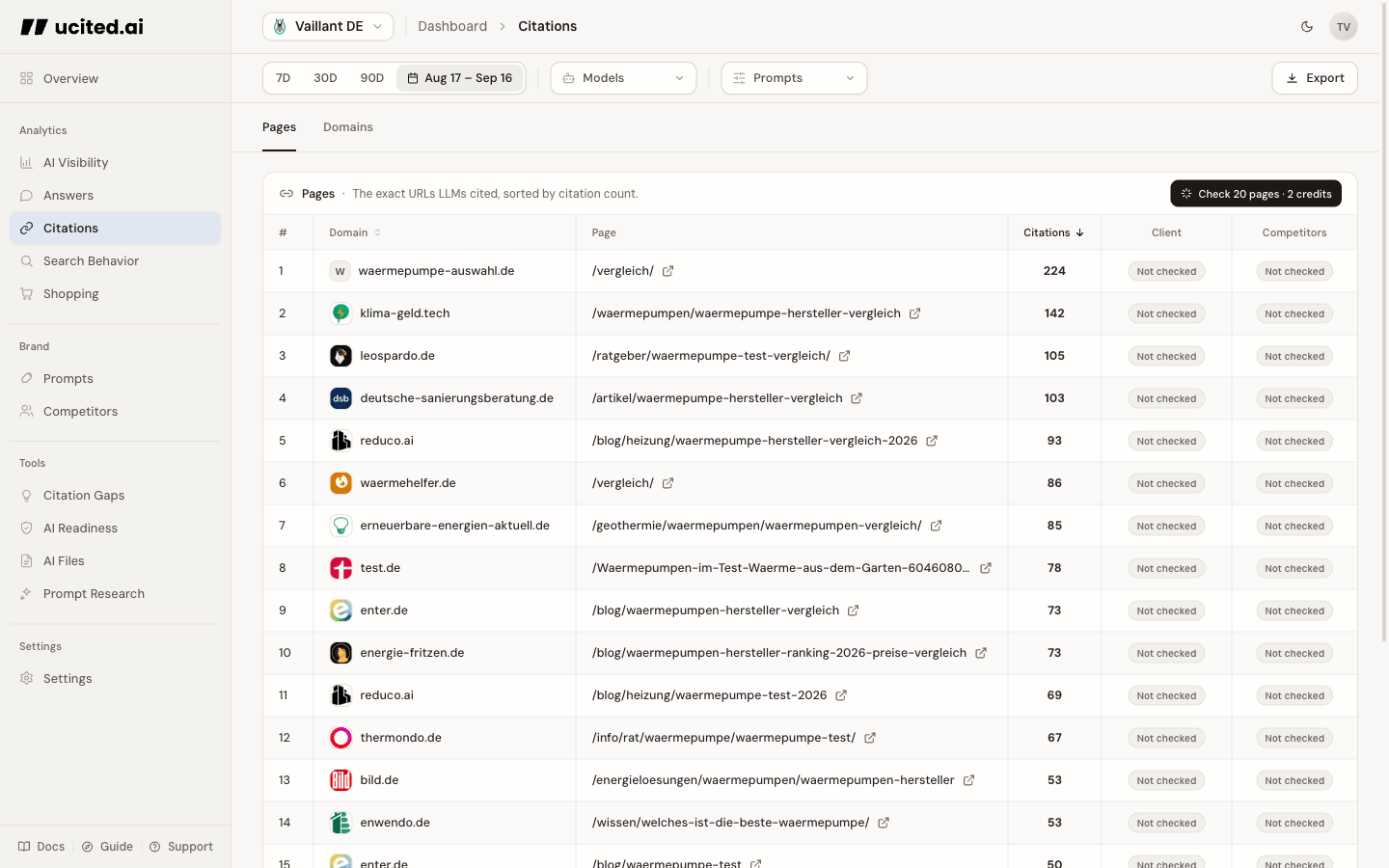
Pages and Domains
The page has two main views:
- Pages: shows individual cited URLs with frequency and check status.
- Domains: groups URLs by root domain so you can quickly identify the most important domains overall.
In the Domains tab, expand a domain to inspect the specific cited URLs underneath.
URL-Level Check
The URL-Level Check checks cited URLs directly. ucited.ai fetches the pages, reads HTML/text, and looks for your client and competitors using the names and domains already in your brand catalogue. You do not need to set anything up for this.
After the check, the Client and Competitor columns show whether each brand was found on the cited page. Click the pills to open the context behind the signal.
SOV mentions count mentions inside AI answers. Signals on the Citations page show whether your brand or competitors appear on the cited source page. These are two separate layers.
How to interpret the data
- Many citations, client found: strong source because AI models use it and your brand is present there.
- Many citations, only competitors found: clear opportunity for outreach, PR, comparison pages, or content additions.
- Many citations, nobody found: the source can still matter, for example as neutral informational or guide content.